Improving the QA Experience for Healthcare Claim Reviewers
Improving the QA Experience for Healthcare Claim Reviewers
Improving the QA Experience for Healthcare Claim Reviewers
Designing for Accuracy, Compliance, and Operational Efficiency in a Regulated Healthcare Environment
Designing for Accuracy, Compliance, and Operational Efficiency in a Regulated Healthcare Environment
Company
Company
Company
Cotiviti
Cotiviti
UX Design
UX Design
UX Design
Heather Cooper and Shanu Padmanabhan
Heather Cooper and
Shanu Padmanabhan
Responsibilities
Responsibilities
Responsibilities
Research, Information Architecture, Persona Development, Design Strategy, Wireframing, Prototyping
Research, Information Architecture, Persona Development, Design Strategy, Wireframing, Prototyping
Timeline
Timeline
Timeline
6 Months
6 Months
Context
Context
Context
High Stakes Work:
Every reviewed healthcare claim has financial impacts across payers, providers, and members. The audit QA team is responsible for checking the work of the initial auditors to ensure there were no errors and nothing was missed.
Fragmented System:
The QA Auditors' work ensures compliance with Centers for Medicare & Medicaid Services (CMS). But, the system they rely on is scattered across legacy applications, spreadsheets, and emails.
Manual Efforts:
QA Managers must make sure initial auditors have at least 10% of their claims QA’d each month, but they are tracking these assignments by memory and manual calculations. QA Auditors experience overly-complicated check-out processes. Simple tasks become slow and error-prone.
Our goal is to redesign the entire QA workflow into a single, intuitive experience that supports both the QA Managers and QA Auditors.
High Stakes Work:
Every reviewed healthcare claim has financial impacts across payers, providers, and members. The audit QA team is responsible for checking the work of the initial auditors to ensure there were no errors and nothing was missed.
Fragmented System:
The QA Auditors' work ensures compliance with Centers for Medicare & Medicaid Services (CMS). But, the system they rely on is scattered across legacy applications, spreadsheets, and emails.
Manual Efforts:
QA Managers must make sure initial auditors have at least 10% of their claims QA’d each month, but they are tracking these assignments by memory and manual calculations. QA Auditors experience overly-complicated check-out processes. Simple tasks become slow and error-prone.
Our goal is to redesign the entire QA workflow into a single, intuitive experience that supports both the QA Managers and QA Auditors.
Note
Note
Note
Project started as a module, became a platform:
GSAT began as an audit tool. QA was one module inside a larger system that expanded to include auditing, QA, appeals, judicial review, and downstream workflows. Scope grew from a single product into a broader platform with multiple users and touchpoints.
Discovery
Discovery
Discovery
At the start of the initiative, we conducted a series of collaborative sessions with the business team, QA managers and QA auditors to gain an in-depth understanding of the QA process, user workflows, and the unique challenges involved. Through demos, workflow reviews, and detailed discussions, we identified inefficiencies, platform limitations, outdated QA questions, overly-manual processes, a convoluted claim check-out process, and the burden of navigating multiple legacy systems and external spreadsheets.
At the start of the initiative, we conducted a series of collaborative sessions with the business team, QA managers and QA auditors to gain an in-depth understanding of the QA process, user workflows, and the unique challenges involved. Through demos, workflow reviews, and detailed discussions, we identified inefficiencies, platform limitations, outdated QA questions, overly-manual processes, a convoluted claim check-out process, and the burden of navigating multiple legacy systems and external spreadsheets.
Platform Limitations



Platform Limitations
Cluttered & Outdated UI
Error-Prone Workflows
Limited Visibility
Cluttered & Outdated Interface
Error-Prone Workflows
Limited Visibility
Limited Visibility and Functionality
Error-Prone Workflows
Cluttered & Outdated UI
Problem Statement
QA managers and auditors need a more efficient way to track, calculate, assign, and review healthcare claim audits so that they can maintain accuracy and quality standards, ensure compliance with CMS requirements, and identify all potential recoveries to maximize revenue opportunities.
Problem Statement
QA managers and auditors need a more efficient way to track, calculate, assign, and review healthcare claim audits so that they can maintain accuracy and quality standards, ensure compliance with CMS requirements, and identify all potential recoveries to maximize revenue opportunities.
Users
High-fidelity
Users
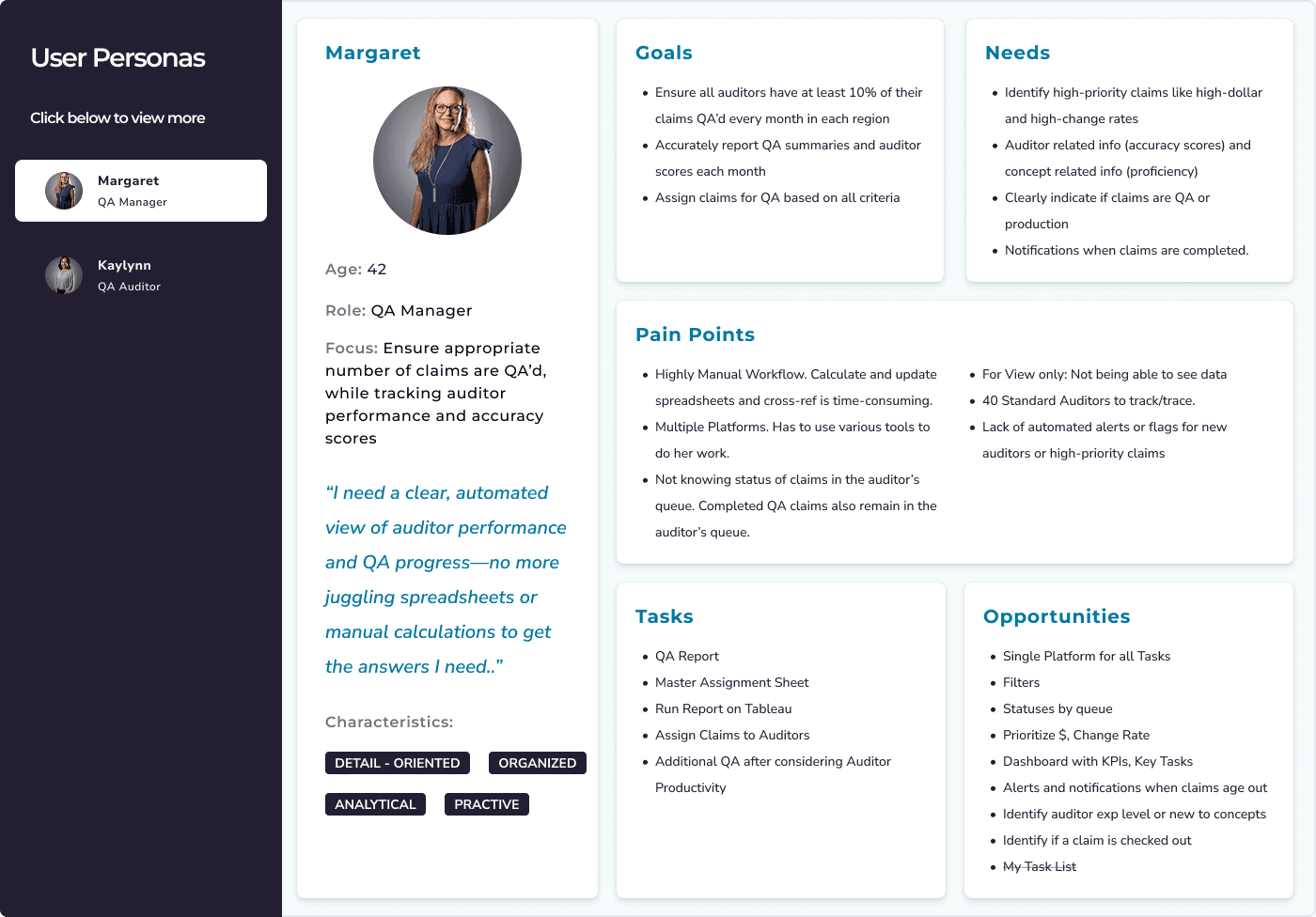
We focused on two primary personas, the QA Manager and the QA Auditor. Over the hours of observing these users, we learned most of them have been in the work for twenty plus years. They developed individual and unique workarounds to account for the fragmented nature of the current state. Instead of ignoring those patterns, we designed with them in mind. Our goal was to streamline the experience while supporting the task flows they rely on every day.
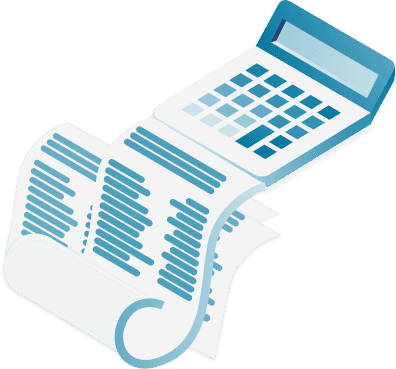
As we moved into high-fidelity design, our focus shifted to refinement. We finalized the content and interaction patterns that would guide QA managers and auditors through complex tasks without adding cognitive weight. We ensured not just whether the flows worked, but whether they worked smoothly and supported the way the users think and move through their tasks.
Challenge: Stakeholders came into the project with only partial visibility into the QA workflow. Business teams, QA managers, and auditors each understood different pieces of the process, and many teams had developed their own way of working. There was no official product presence. We had to map the workflow across roles before standardizing it, so the new system supported real differences instead of forcing everyone into an oversimplified process.
As we moved into high-fidelity design, our focus shifted to refinement. We finalized the content and interaction patterns that would guide QA managers and auditors through complex tasks without adding cognitive weight. We ensured not just whether the flows worked, but whether they worked smoothly and supported the way the users think and move through their tasks.
Usability Testing
We ran usability testing with both QA Managers and QA Reviewers, and the sessions surfaced a few points of friction. None were critical usability problems, but they revealed opportunities to improve the experience. a couple QA Reviewers hesitated when trying to release checked-out claims and others missed the entry point to start a review. The insights gave us a chance to refine labels and guide users more clearly through the review process.
Solution
The GSAT QA redesign was our chance to untangle a process that had been held together by memory, spreadsheets, and years of personal workaround habits. We set out to replace that patchwork with a single, coherent system built around how QA managers and auditors actually work.
The new tool brings claim assignment, review, scoring, and tracking into one place. QA managers can finally see workload, performance, and compliance metrics without juggling files or relying on what they can remember. QA auditors no longer jump between tools. They can check out a claim, review the initial audit, and complete their assessment in one flow. The dynamic QA form supports accurate reviewing.
Every decision in the redesign came from watching users navigate the old system. The result is a workflow that removes friction and gives the QA team a more dependable way to do their work.
Problem
Statement
QA managers and auditors need a more efficient way to track, calculate, assign, and review healthcare claim audits so that they can maintain accuracy and quality standards, ensure compliance with CMS requirements, and identify all potential recoveries to maximize revenue opportunities.
Information Architecture
Information Architecture
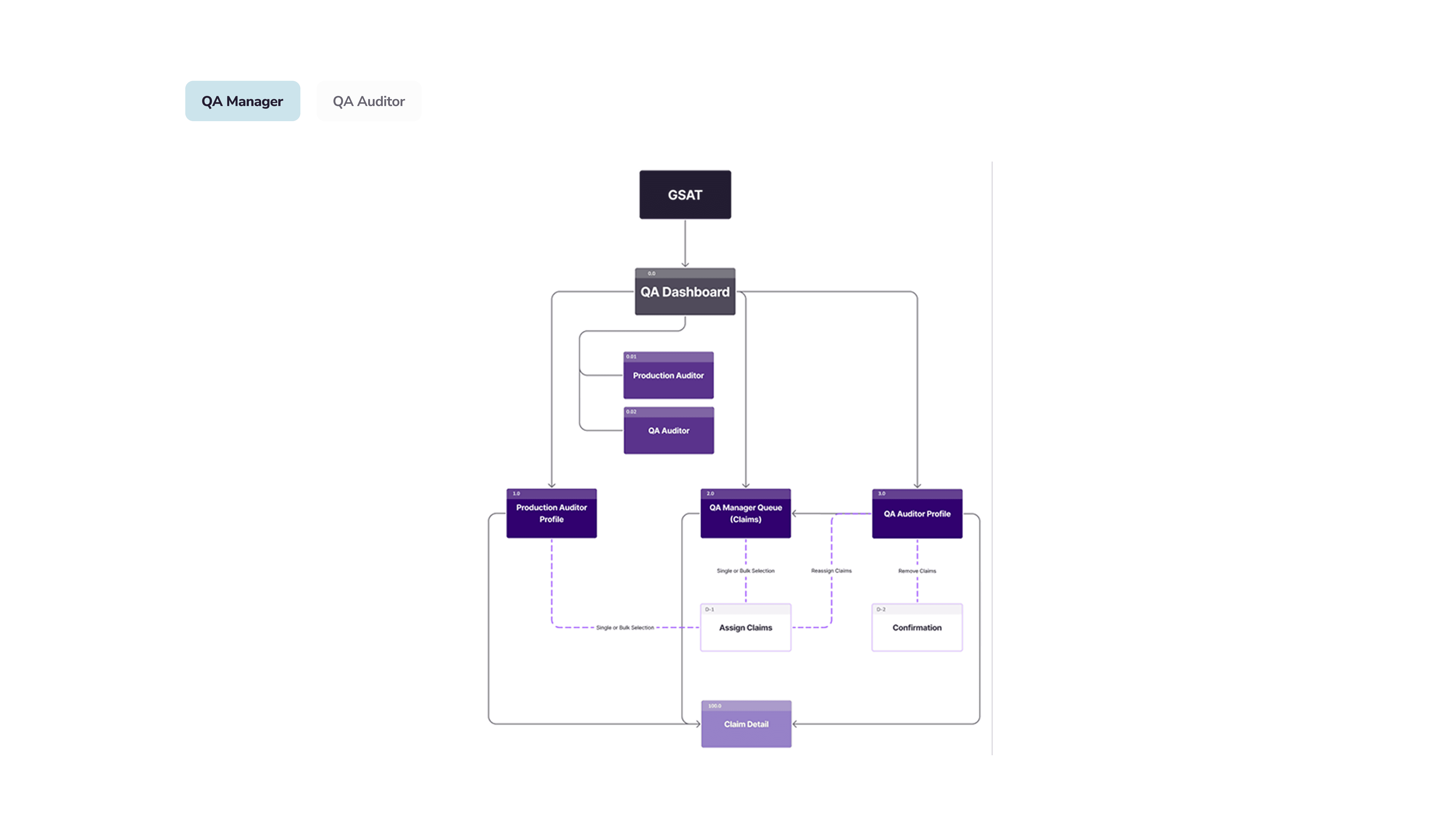
Insights from user interviews allowed us to identify key user needs and priorities. We then created and used the sitemaps to prioritize critical task flows such as reviewing profiles, assigning claims, checking out claims, and conducting QA reviews.
Challenge: As the initiative began as one module, but by the time we began work on QA it became a large platform, there was no larger IA. The scaffolding had not yet been defined to accommodate all modules, the different way users would navigate through the platform, how data was organized, etc. Before creating the IA for QA, we paused to define the larger infrastructure. It meant researching and interviewing users and stakeholders across multiple modules.
Low-fidelity
Low-fidelity
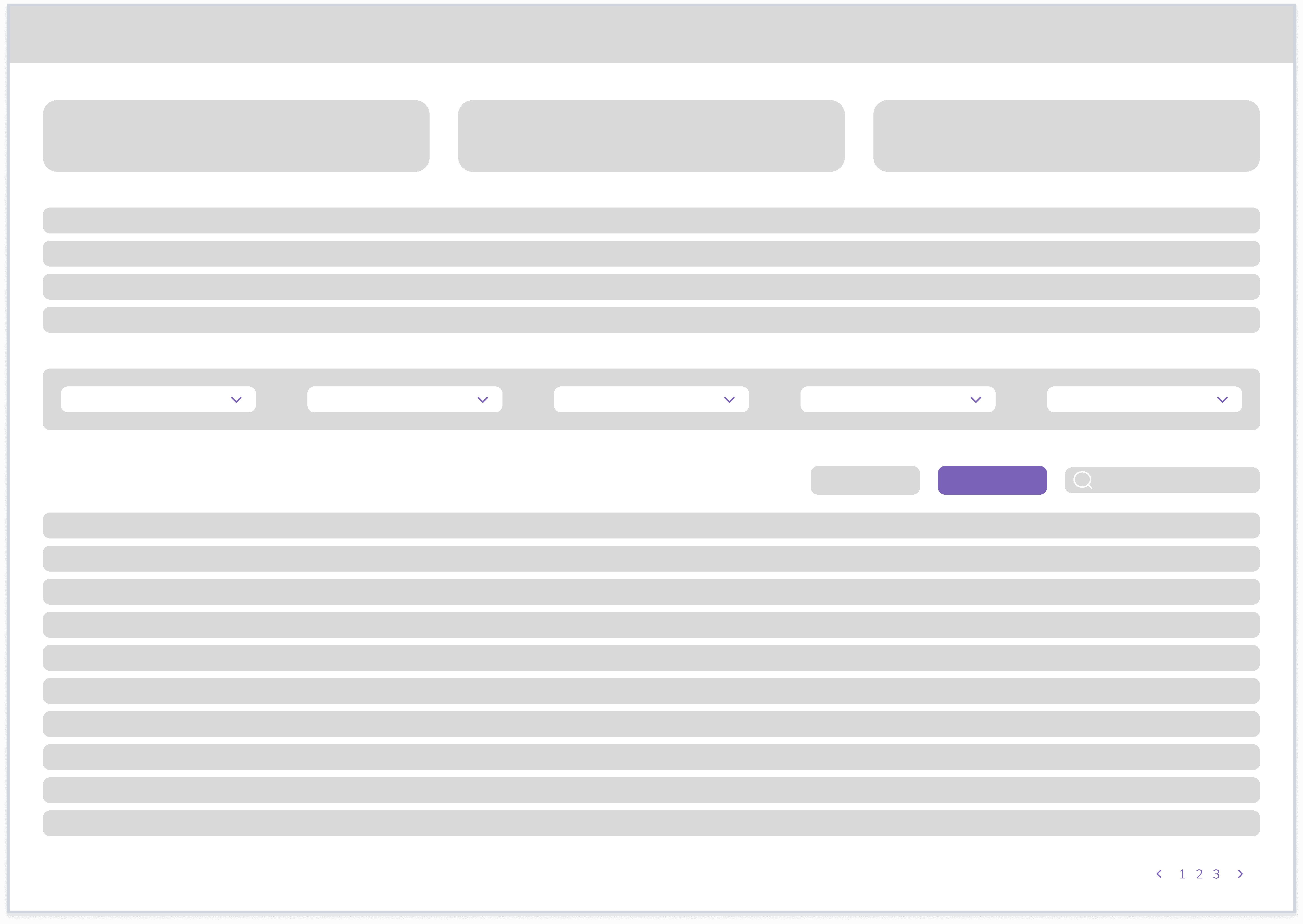
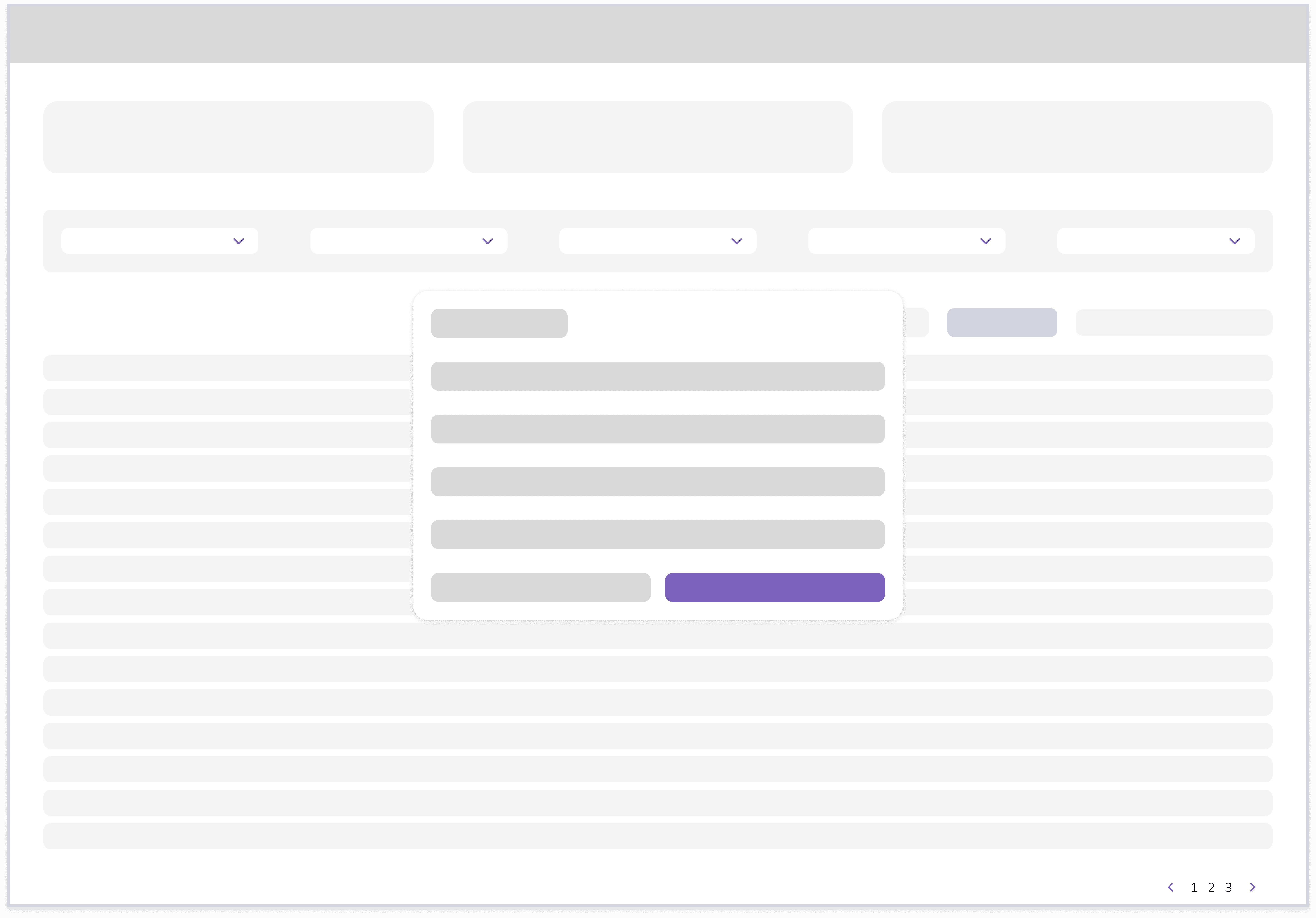
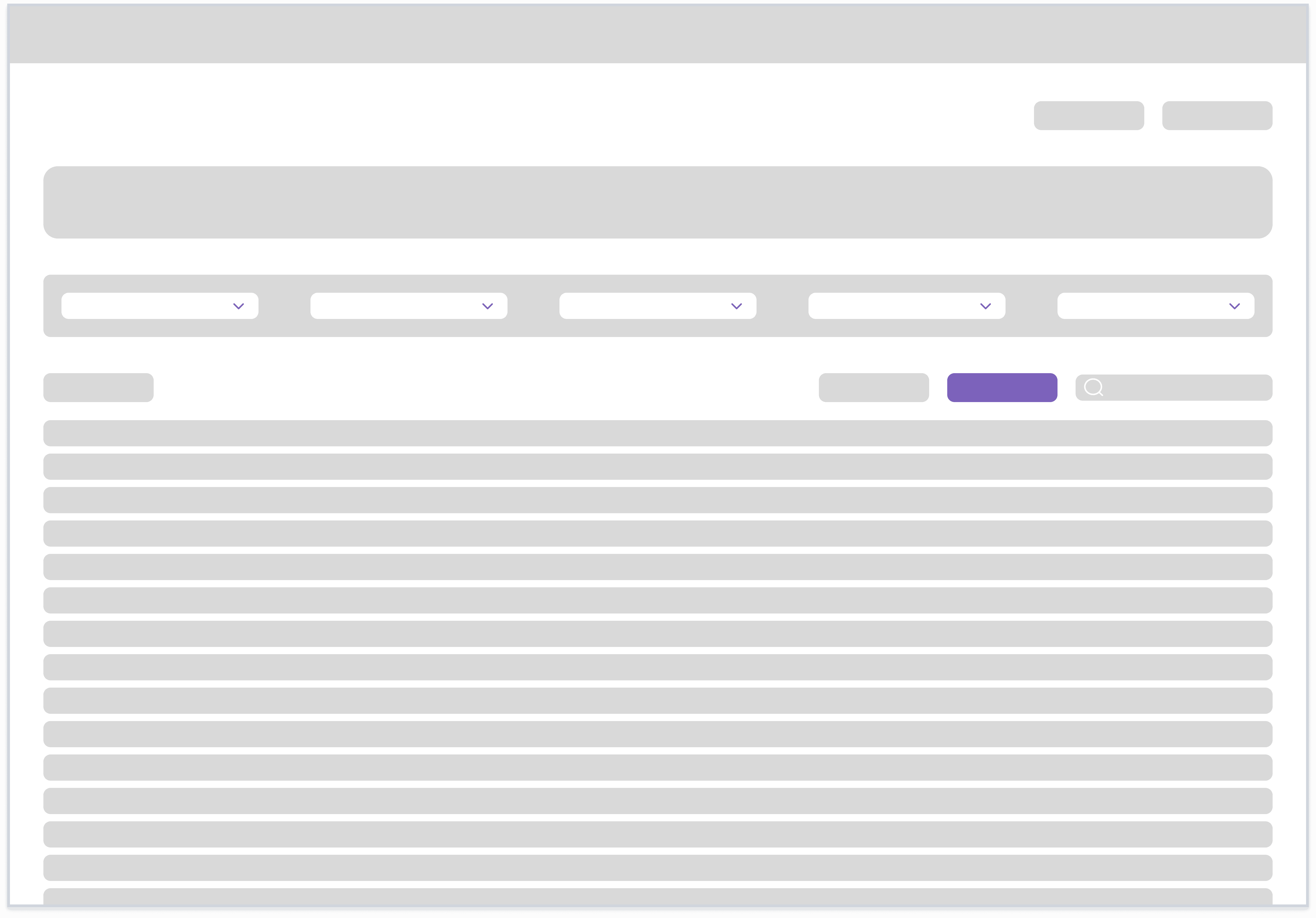
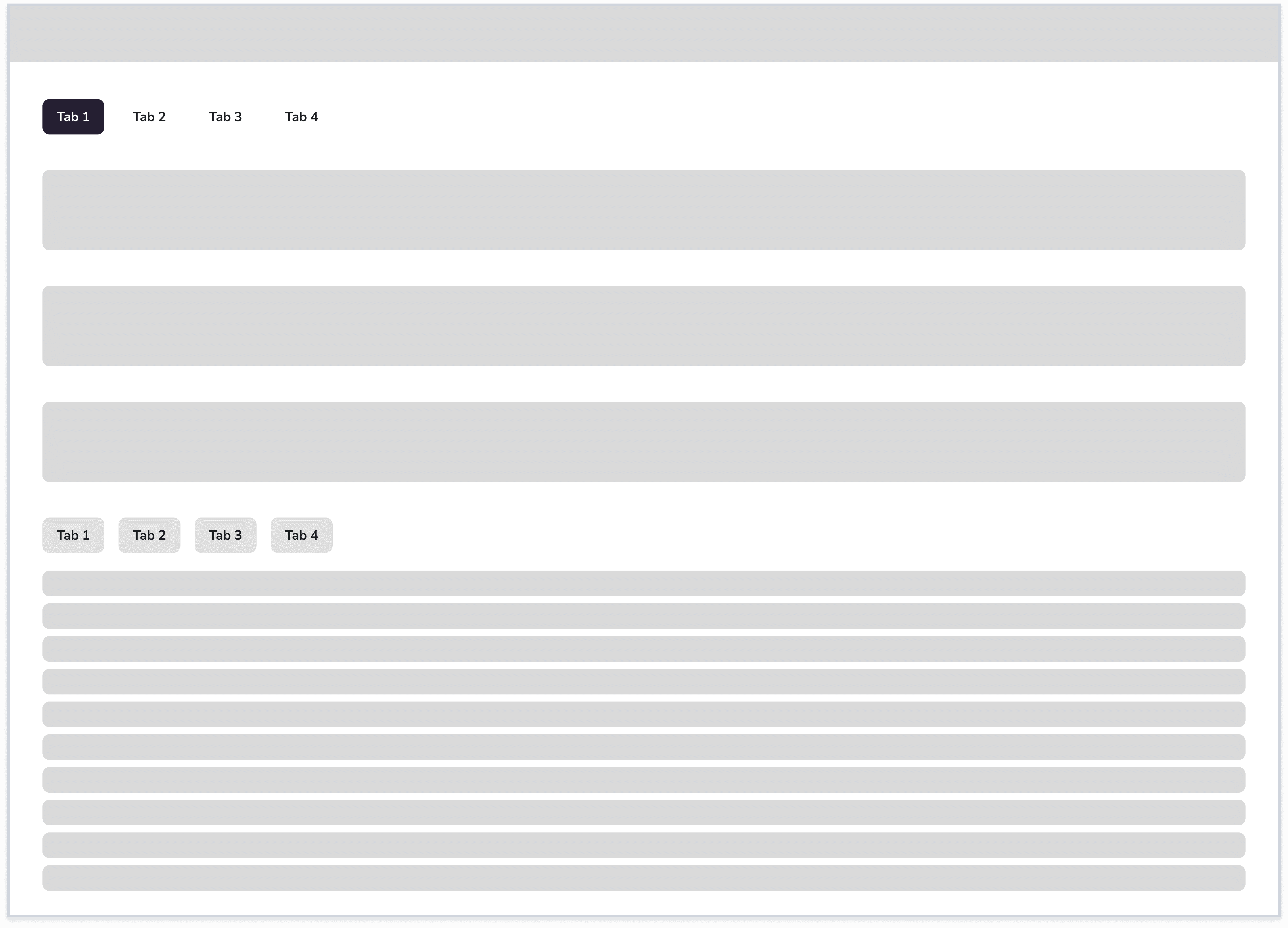
We started with low-fidelity wireframes to map out how QA managers and auditors move through their most essential tasks. Keeping things simple helped us focus on what mattered: the information they need to see, the decisions they make and the steps that define a successful assignment or review. These early sketches gave us space to test ideas quickly and validate with stakeholders, before committing to detailed design.
User Flows
User Flows
Before moving into detailed design, we mapped the end-to-end workflows for both QA Managers and QA Auditors. For QA Managers, one of the biggest challenges was clarifying the overlap between QA Auditor profiles and the initial production Auditor profiles. Their work, capacity, and requirements needed to be surfaced in a way that made sense at a glance. For QA Auditors, our focus was on shaping a clear, guided path through the claim checkout, review, and submission steps, reducing the ambiguity and extra steps that had been built into their existing process over time.
We had to account for multiple paths through the system, role exceptions, reassignment workflows, and dependencies on production auditors. Production auditors sometimes participated in QA, QA auditors sometimes performed production work, some auditors had specialized expertise, assignment decisions depended on factors that were not documented anywhere.

Mid-fidelity
Mid-fidelity
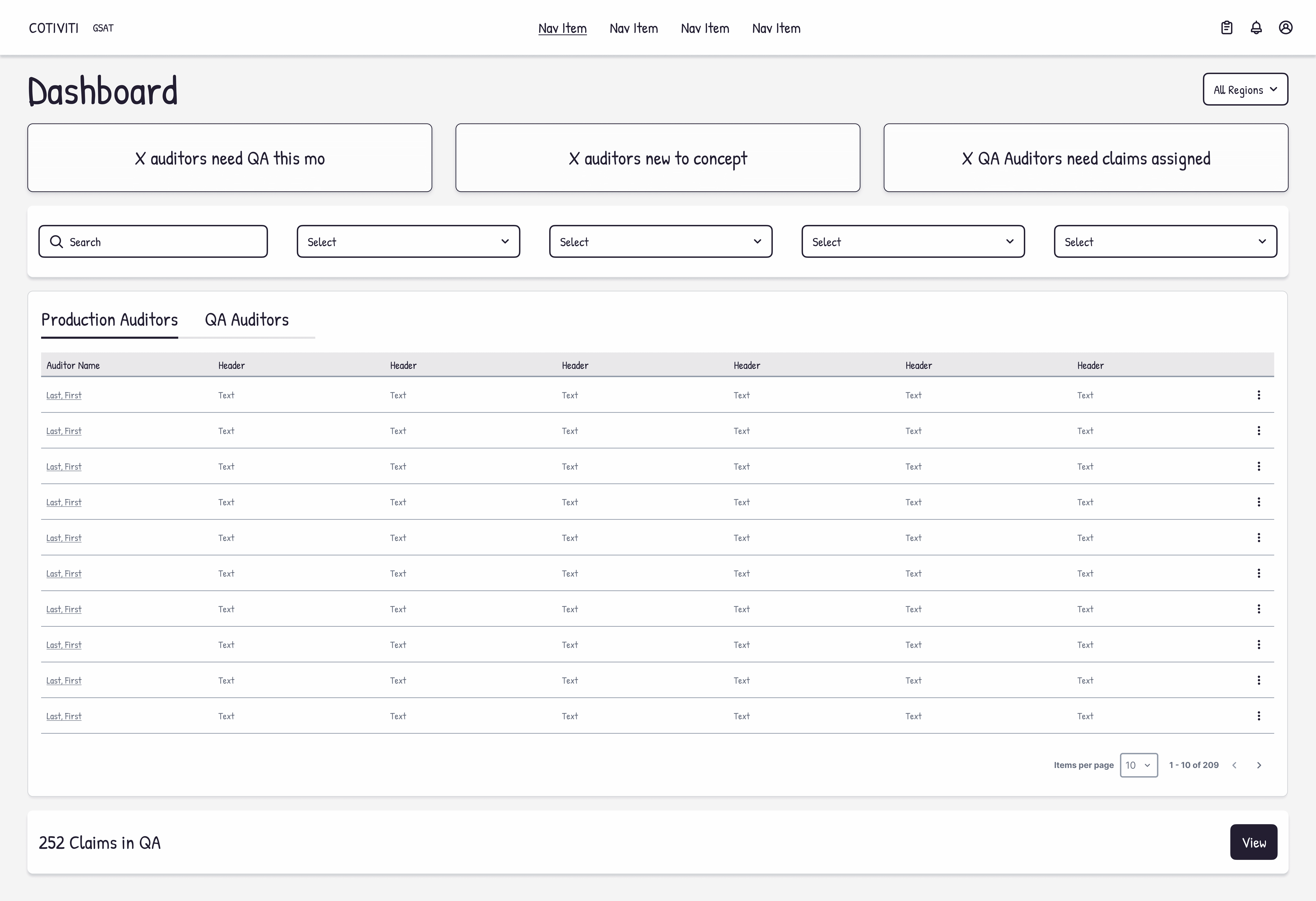
Moving into mid-fidelity was the phase where structure met content, and where conversations with users and stakeholders became more concrete. Sharing these mockups helped us identify what metrics they use to understand workload, performance, and urgency at a glance. We defined what needed to be filterable, what belonged in tables, and what needed to surface immediately for decision-making. This included elements like auditor role and type, claims processed month-to-date, accuracy scores, QA percentages, and month-over-month changes.
High-fidelity
High-fidelity
As we moved into high-fidelity design, our focus shifted to refinement. We finalized the content and interaction patterns that would guide QA managers and auditors through complex tasks without adding cognitive weight. We ensured not just whether the flows worked, but whether they worked smoothly and supported the way the users think and move through their tasks.
Because the initiative required significant investment and organizational support, we used high-fidelity designs and interactive prototypes throughout the process to align stakeholders and secure approval. The prototypes helped translate complex workflows into a tangible experience, allowing business leaders and executives to understand the proposed solution before development began. This approach reduced ambiguity and helped gain leadership buy-in for implementation.
Usability Testing
Usability Testing
We ran usability testing with both QA Managers and QA Reviewers, and the sessions surfaced a few points of friction. None were critical usability problems, but they revealed opportunities to improve the experience. a couple QA Reviewers hesitated when trying to release checked-out claims and others missed the entry point to start a review. The insights gave us a chance to refine labels and guide users more clearly through the review process.
Issue
Confusion over how to "release" claims
Missed the 'Start Review' CTA
Missed th vertical scroll
Did not understand QA column
Checked-out only mode was hard to see
Severity
3
3
0
2
1
Plan
Label change
Select claim navigates directly to review
N/A
Change to QA Status w/ use of tags
Change location of the toggle
Responsible
Design Team
Design Team
N/A
Design Team
Design Team
Reporting
Reporting
Late in the process, Reporting came into the picture. Originally not a part of the scope, we learned it would be an important feature to incorporate before release. The reporting was critical for CMS compliance, but because it was managed manually through spreadsheets, she had not initially viewed it as part of the system. That insight led to a new reporting capability that became an important part of the final solution.
Design System
Design System
As we worked with the engineering team, we identified recurring challenges with implementation consistency and design parity. The experience highlighted the need for clearer component guidance, documentation, and reusable patterns. Those lessons directly informed our work on Lumina, Cotiviti's enterprise design system, where we focused not only on building components but also on providing the guidance and standards needed to support consistent implementation across product teams.

Solution
Solution
The GSAT QA redesign was our chance to untangle a process that had been held together by memory, spreadsheets, and years of personal workaround habits. We set out to replace that patchwork with a single, coherent system built around how QA managers and auditors actually work.
The new tool brings claim assignment, review, scoring, and tracking into one place. QA managers can finally see workload, performance, and compliance metrics without juggling files or relying on what they can remember. QA auditors no longer jump between tools. They can check out a claim, review the initial audit, and complete their assessment in one flow. The dynamic QA form supports accurate reviewing.
Every decision in the redesign came from watching users navigate the old system. The result is a workflow that removes friction and gives the QA team a more dependable way to do their work.
Users
We focused on two primary personas, the QA Manager and the QA Auditor. Over the hours of observing these users, we learned most of them have been in the work for twenty or more years. They developed individual and unique workarounds to account for the fragmented nature of the current state. Understanding these circumstances helped us know that we must account for these workarounds. They have built their own task flows. We can improve their experience while accounting for these unofficial needs. Creating a more efficient way of completing their tasks, while keeping their task flows in tact. Designing within boundaries.
Information Architecture
Insights from user interviews allowed us to identify key user needs and priorities. We then created and used the sitemaps to prioritize critical task flows such as reviewing profiles, assigning claims, checking out claims, and conducting QA reviews.
Low-fidelity
We started with low-fidelity wireframes to map out how QA managers and auditors move through their most essential tasks. Keeping things simple helped us focus on what mattered: the information they need to see, the decisions they make and the steps that define a successful assignment or review. These early sketches gave us space to test ideas quickly and validate with stakeholders, before committing to detailed design.
User Flows
Before moving into detailed design, we mapped the end-to-end workflows for both QA Managers and QA Auditors. For QA Managers, one of the biggest challenges was clarifying the overlap between QA Auditor profiles and the initial production Auditor profiles. Their work, capacity, and requirements needed to be surfaced in a way that made sense at a glance. For QA Auditors, our focus was on shaping a clear, guided path through the claim checkout, review, and submission steps, reducing the ambiguity and extra steps that had been built into their existing process over time.
Mid-fidelity
Moving into mid-fidelity was the phase where structure met content, and where conversations with users and stakeholders became more concrete. Sharing these mockups helped us identify what metrics they use to understand workload, performance, and urgency at a glance. We defined what needed to be filterable, what belonged in tables, and what needed to surface immediately for decision-making. This included elements like auditor role and type, claims processed month-to-date, accuracy scores, QA percentages, and month-over-month changes.
Platform Limitations